Understanding signal issues, interference, and why high-end routers aren’t always enough
The Scenario
Let’s break it down:
- 3-Story Condo
- Bottom Floor: Utility room, closet, garage
- 1st Floor: Kitchen, living room, bathroom
- Top Floor: Bedroom, spare room, bathroom
The fiber entry point is in the center of the utility room, on an outside wall. That’s the worst-case placement for Wi-Fi coverage, and here’s why.
What I Use: This is my current setup, the ASUS ZenWiFi BE14000. It’s a high-end tri-band mesh system that provides full-speed wired and strong wireless coverage across all three floors.
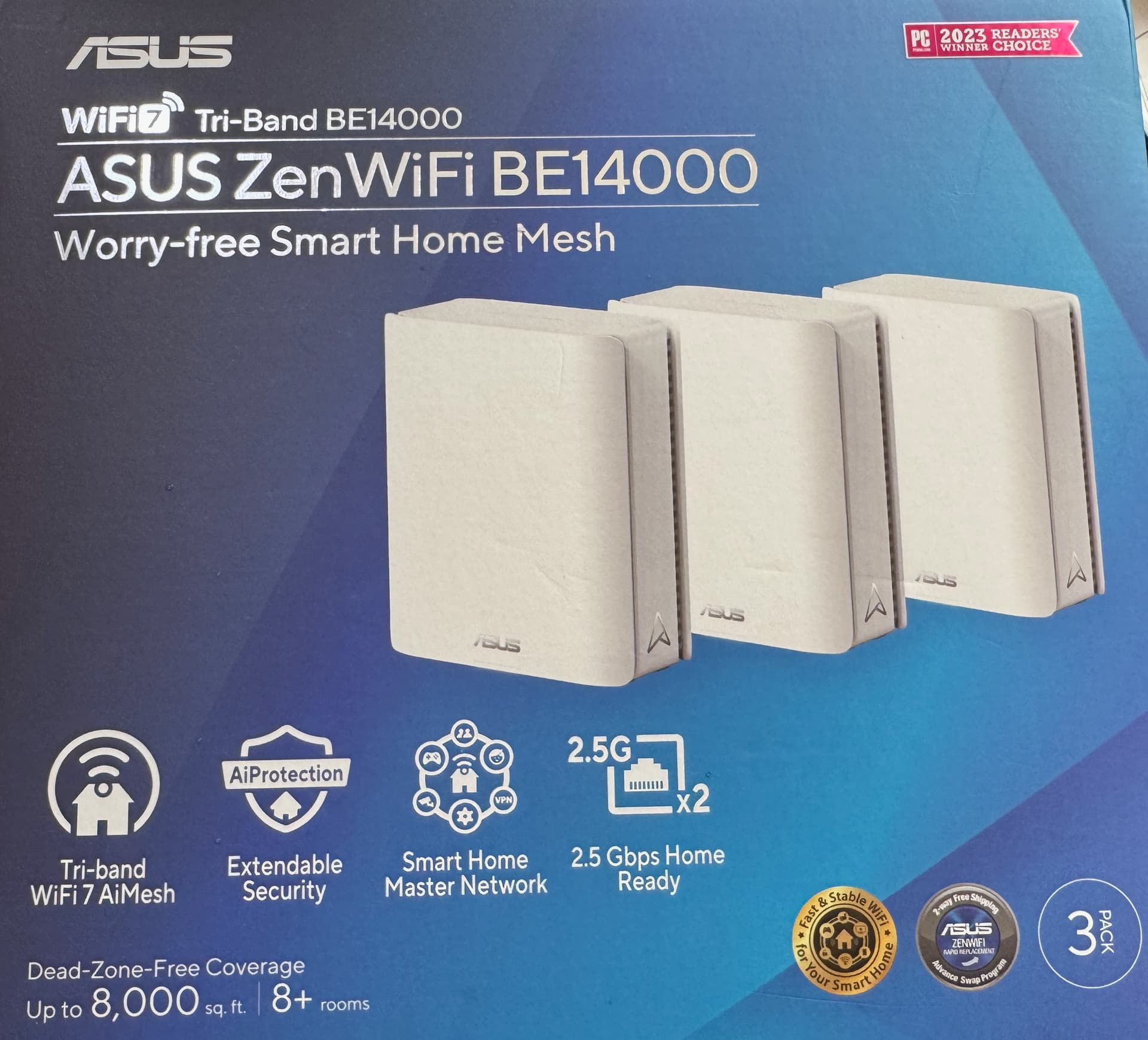
Note: You don’t need to spend this much to get solid performance. Many mid-range mesh systems will solve the same problem, the key is proper placement and using a true mesh setup.
Why Standard Routers Don’t Work
Even powerful standalone routers like the AmpliFi Alien struggle here. The bottom floor is mostly concrete and utilities, meaning:
- Wi-Fi struggles to penetrate upward through structure and walls
- Signal degradation is severe by the time it reaches the 1st floor
- Top floor gets barely 30-40 Mbps, and sometimes under 10
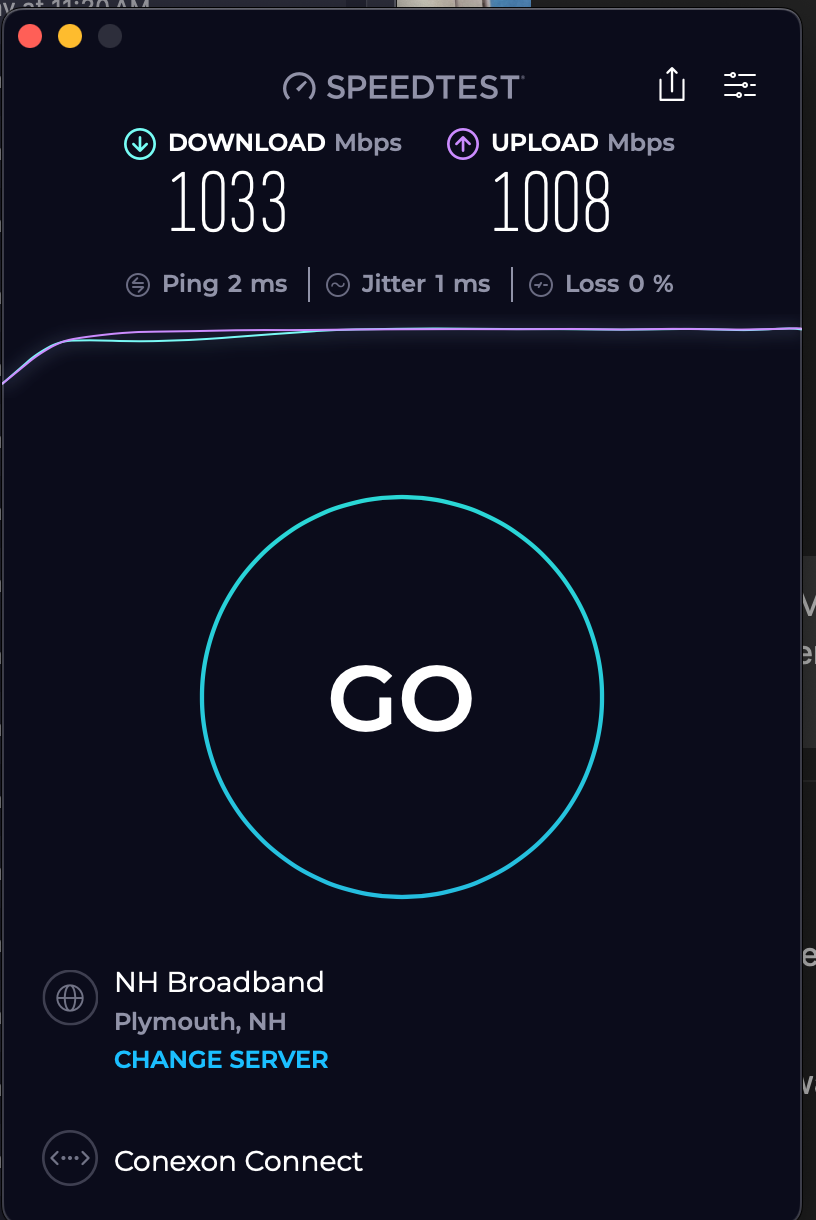
Here is a screenshot of real results from 3rd floor of my Mac Hardwired to the Meshpoint.
A single router, no matter how strong, cannot fight physics.
Why Mesh Works (and Works Well)
With a tri-band mesh system like the ASUS ZenWiFi BE14000, you create multiple access points that talk to each other over a dedicated backhaul. This means:
- Full gigabit wired speeds on the 3rd floor via Ethernet
- 400/400 Mbps Wi-Fi on the 3rd floor wirelessly (device-dependent)
- Consistent coverage across 8+ rooms and multiple floors
The key advantage: signal doesn’t have to go through the entire building, it hops node to node.
Interference: The Silent Killer
Wi-Fi isn’t just about distance, it’s about noise.
Here’s what can wreck your signal in dense areas like a condo:
Device Interference
- Microwaves (especially older ones): Interfere with 2.4 GHz
- Bluetooth Devices: Compete on the 2.4 GHz band
- Baby Monitors, Smart Plugs, etc.: Clog the airwaves with constant pings
Structural Obstacles
- Flooring and HVAC ducts block signal like lead walls
- Older buildings might have plaster and wire mesh walls
Neighbor Overload
- You may see 30-60 neighboring SSIDs
- Many of those run dual-band (2.4 + 5 GHz) or even tri-band
- Channels overlap, causing packet collisions and slower throughput
Why Mesh Systems Help
- Auto-select optimal channels per band
- Use dedicated backhaul (tri-band) to isolate node traffic
- Seamless handoff between nodes without manual intervention
- Offer admin control to monitor and tune
Real-World Proof
With the ASUS ZenWiFi BE14000:
- Full gigabit wired speeds are achieved across floors
- Wi-Fi performance stabilizes, 400/400 on the 3rd floor is realistic
- Devices switch between nodes automatically with minimal drop
Not even high-end single routers pulled this off consistently. Mesh wins.
Final Thoughts
If you live in a multi-level, high-interference environment, like a condo, then a mesh system is not just helpful, it’s mandatory.
It’s not about chasing theoretical speed. It’s about stable, consistent coverage in the real world.
If you’re looking for suggestions or want to see different setups, check out the IT & Systems category or drop a reply to share your experience.
Last tested: June 2025, using a full-fiber 1000/1000 Mbps connection and the ASUS ZenWiFi BE14000 mesh kit.