Part of the Fathom-OS Project Log.
Chapters 2.4 and 2.5 cover creating the LFS partition and formatting it with a filesystem. Since these two steps are tightly related I am covering them in a single post. This also covers some decisions specific to building inside a Proxmox VM that are worth documenting for anyone doing the same.
References:
- LFS 13.0-systemd - 2.4 Creating a New Partition
- LFS 13.0-systemd - 2.5 Creating a File System on the Partition
The Setup
The build runs inside a dedicated Proxmox VM with a single 300 GB virtual disk. The disk was partitioned during the Ubuntu host OS installation. Rather than partitioning around the host OS after the fact, the full layout was planned upfront so the LFS partition would be ready from day one.

Disk Layout
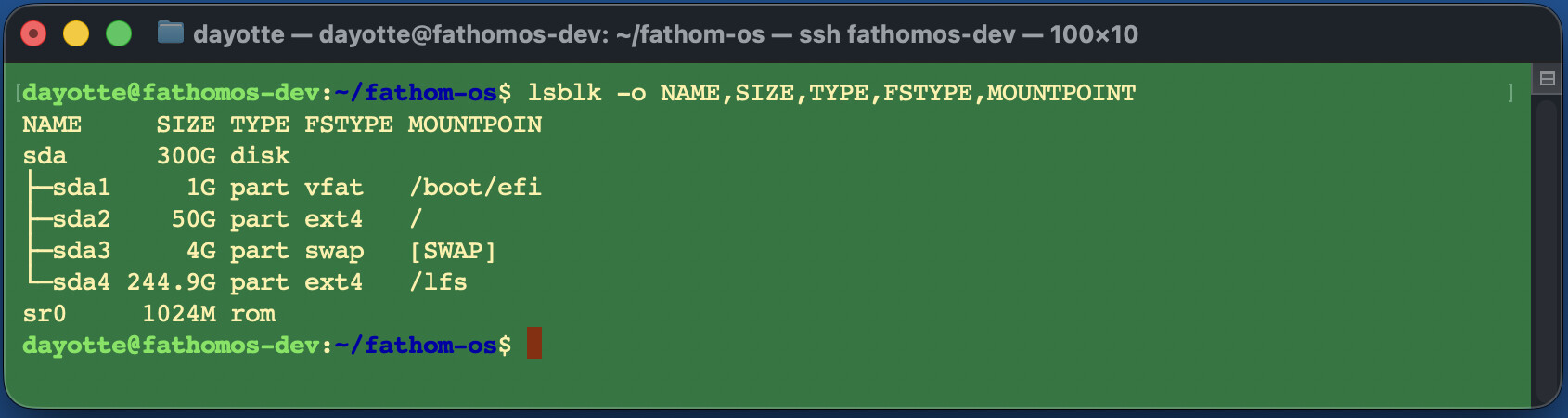
The disk uses GPT. Here is the full partition table:
lsblk -o NAME,SIZE,TYPE,FSTYPE,MOUNTPOINT
Output:
NAME     SIZE TYPE FSTYPE MOUNTPOINT
sda      300G disk
├─sda1     1G part vfat   /boot/efi
├─sda2    50G part ext4   /
├─sda3     4G part swap   [SWAP]
└─sda4 244.9G part ext4   /lfs
sr0     1024M rom
| Partition | Size | Type | Purpose |
|---|---|---|---|
| /dev/sda1 | 1 GB | EFI System | UEFI boot |
| /dev/sda2 | 50 GB | Linux ext4 | Ubuntu host OS |
| /dev/sda3 | 4 GB | Linux swap | Shared swap |
| /dev/sda4 | 244.9 GB | Linux ext4 | LFS partition |
Partition Decisions
Why GPT instead of MBR
The VM disk is 300 GB. GPT is the right choice for anything over 2 TB and is also required for UEFI booting. Since the host is Ubuntu 24.04 and the VM firmware is UEFI, GPT was the straightforward choice.
EFI System Partition (sda1)
Because this is a GPT disk booting with UEFI, a 1 GB EFI System Partition was created. The LFS book mentions the GRUB BIOS partition (a small 1 MB unformatted partition used for legacy BIOS with GPT), but that does not apply here. This build uses UEFI, so the EFI partition on sda1 handles boot instead.
Swap
The book recommends about twice the physical RAM for swap, but notes that if the host swap already exists there is no need to create a separate one. The VM has 32 GB of RAM and sda3 provides 4 GB of shared swap. For a build machine with that much RAM, swap will rarely if ever be touched. No separate LFS swap partition was needed.
LFS Partition Size
The book recommends at least 30 GB for a basic build with room to grow. The LFS partition here is 244.9 GB, which leaves more than enough room for the full system build, temporary tools, source tarballs, and anything added post-LFS.
Filesystem
The LFS partition was formatted as ext4, which is what the book recommends. The filesystem was created during the Ubuntu host installation when the /lfs mount point was set up.
If you are formatting the LFS partition manually after the fact, the command is:
sudo mkfs -v -t ext4 /dev/sda4
Since the swap partition on sda3 was created during the host OS install it is already initialized. No additional mkswap step was needed.
Confirm everything is mounted correctly:
lsblk -o NAME,SIZE,TYPE,FSTYPE,MOUNTPOINT
The LFS partition should show ext4 and mount at /lfs.
What Is Next
With the partition and filesystem in place the next step is setting the $LFS variable and the umask, which is Chapter 2.6.
More updates to follow as each build phase completes.
Previous: Chapter 2.2: Host System Requirements | Next: Chapter 2.6 and 2.7: Setting $LFS and Mounting the Partition
All session notes and build logs are committed to the private repository at github.com/QuietWireDev/fathom-os.